To create forwarders in Google Workspace, follow these steps: From now on, any emails received by your Google Workspace account will be automatically forwarded to the email address
Google Workspace offers a range of AI-powered features and capabilities that can help users be more productive and efficient in their work. Here are some ways to enable
By default, Google Workspace accounts have “less secure app access” turned off for security reasons. However, if you need to allow access to an app or service that
uTorrent is the most popular and lightweight Bit torrent client out there however sometimes the advertisements can get annoying for its users. Fortunately the good guys at uTorrent
In this tutorial I will teach you how to install and configure the open source SoftEther server which is undoubtedly one of the best VPN servers out there.
If you manually update your Windows Server and require the log of your entire update, feel free to use the following command in Powershell or just type “cmd”
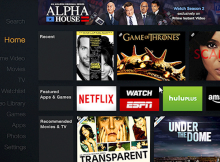
Amazon launched the Fire TV Stick, a direct competitor to the Google Chromecast. What seperates Fire TV Stick from the Chromecast is that it comes with a remote to